|
<< Click to Display Table of Contents >> Export to PostgreSQL database |
  
|
|
<< Click to Display Table of Contents >> Export to PostgreSQL database |
|
Turboveg 3 databases can be exported to a PostgreSQL (with PostGIS extension) database.
Before the export can be executed a PostgreSQL database needs to be present. This database maybe empty or not.
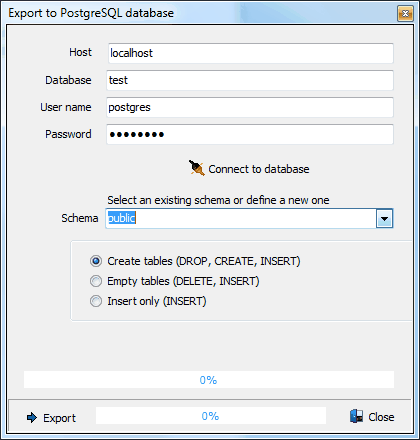
The first step in the proces is to enter the host on which the database runs, the name of the (existing) database, username and password.
Then press Connect to database to establish a connection.
Once connected select an existing schema name, or enter a new name.
Last select way the data will be processed. On most cases the first option is the preferred one (Create tables).