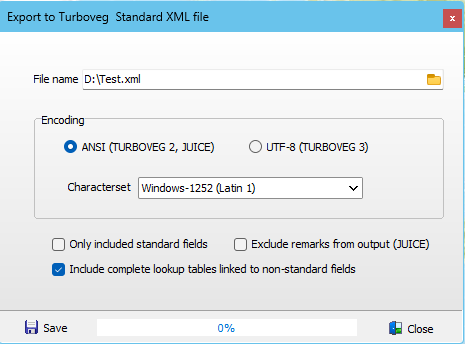
This format is the most suitable format to exchange data between parties that use either Turboveg2 or Turboveg3. It can also be used to create input for JUICE.
When the option Include complete lookup tables linked to non-standard fields is unchecked only lookup data items present in the selected are exported.
Export for Turboveg2 or JUICE requires that the the relevé numbers are unique. As this is not required in a Turboveg3 database the Turboveg2 relevé numbers may not be unique. In case of duplicate relevé numbers the export is aborted. To solve the issue of duplicates it is recommended to export the selection to a Turboveg3 database into a single dataset. Then open the new database and next open the dataset and select in the menu EDIT, Renumber relevé numbers. The renumbered dataset can now be exported to an XML file.