|
<< Click to Display Table of Contents >> New dataset |
  
|
|
<< Click to Display Table of Contents >> New dataset |
|
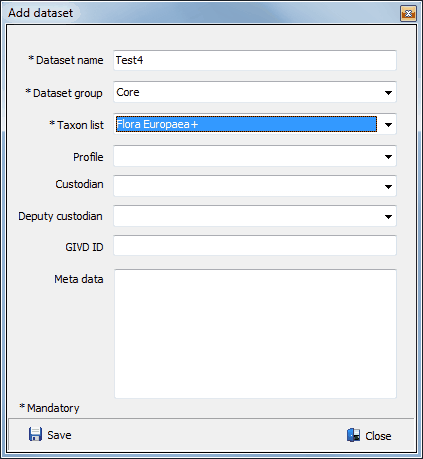
Creating a new dataset is easy, but there are at least three items to be filled in. The only item that could be a problem is the taxon list. Starting with a complete new database there are no taxon lists available, except for when starting with a Dutch database. To get a taxon list loaded in the database go to Manage, Taxon lists. There you can download a taxon list from the cloud based SynBioSys taxon database or import a Turboveg 2 species list.
A dataset also needs to be attached to a dataset group. A dataset group can be selected from the drop down list. Go to Manage dataset groups if a new name needs to be introduced.
If no profile is selected a default (comprising the standard Turboveg 2 data fields) is created under the same name as the dataset. Profiles can be managed via the Manage profiles menu option. Profiles are particularly important, because they define which fields and in which order they will appear in the data table and data forms.
Custodians and deputy custodians can be managed via de Manage custodian menu option.